
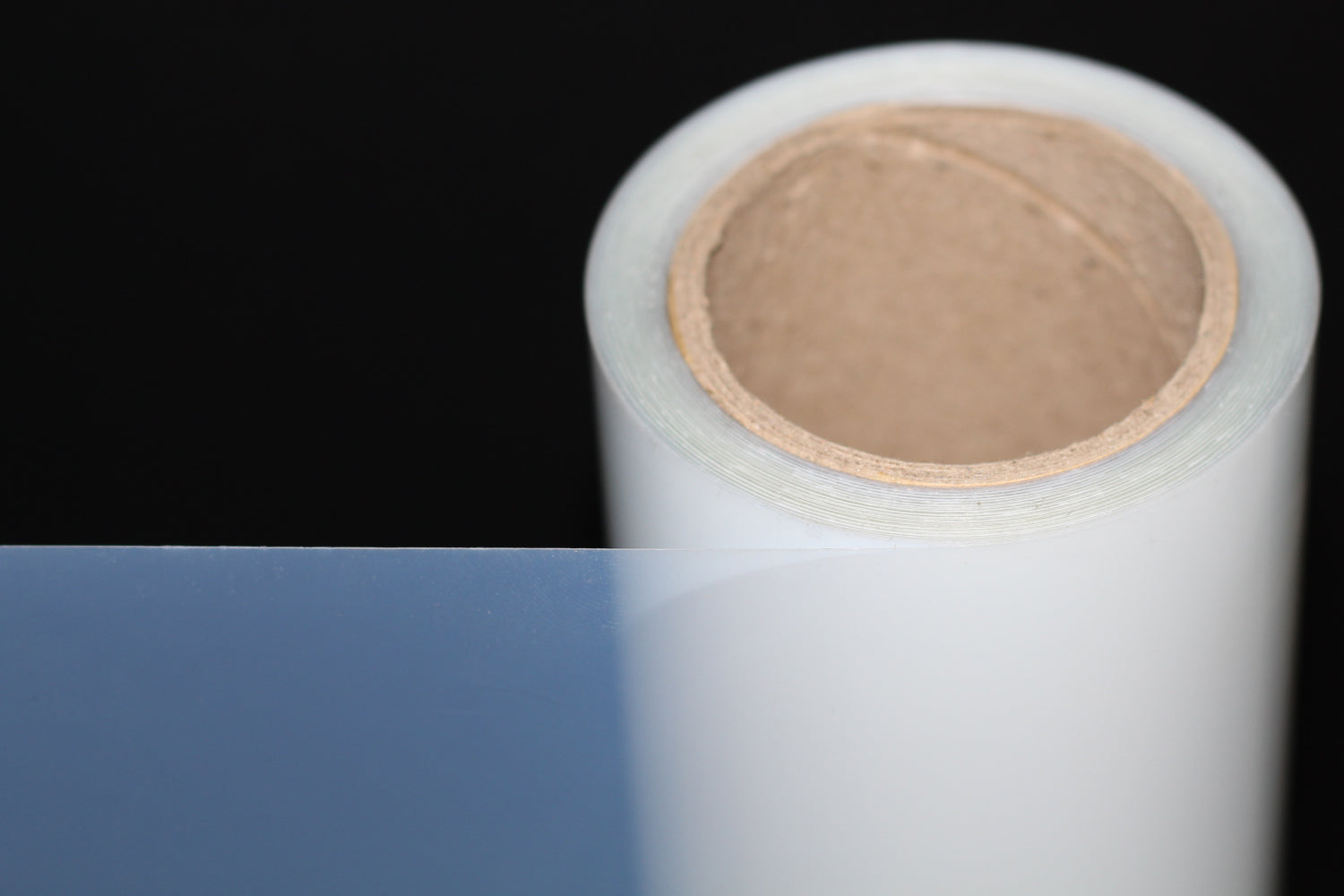
If you've ever pulled a screen off the exposure unit only to find pinholes, soft edges, or a stencil that washed out where it shouldn't have, the problem usually isn't your emulsion or your exposure time — it's your film. Screen printing positives live or die on one number: how much UV light the black areas of your film actually block. This guide breaks down exactly what makes premium 5 mil waterproof inkjet film different, how to print with it correctly, which printers it works with, and how to build out the rest of your station around it.
What Is Waterproof Inkjet Film for Screen Printing?
Waterproof inkjet film (also called inkjet transparency film, film positive, or "silk screen film") is a clear or slightly milky polyester (PET) sheet or roll coated with a specialized ink-receptive layer. Instead of a laser printer and toner, or an expensive imagesetter, shops print black-and-white artwork straight from a standard desktop inkjet printer onto this film to create a film positive — the light-blocking template used to expose photo emulsion on a screen.
Unlike plain paper or generic office transparencies, screen printing film is engineered specifically to:
Truly Opaque Blacks
Absorbs enough ink to reach a high Dmax (maximum ink density) so UV light can't sneak through.
Waterproof & Humidity-Resistant
Resists moisture so prints don't smear, bleed, or reabsorb ambient water.
Fast Drying
Dries quickly enough to keep up with real production workflows.
Lies Perfectly Flat
Anti-curl construction stays flat under an exposure unit's vacuum frame.
Why Coating and Thickness Matter More Than Most Printers Realize
The Microporous Coating Is the Whole Point
The single biggest differentiator between "screen printing film" and a random inkjet transparency is the microporous coating. It's engineered to physically trap pigment and dye ink particles at the surface rather than letting them soak into the PET base and scatter. That's what allows the black areas of your positive to reach a high enough ink density — SHL Supply's film tests at a Max Ink Density of 3.8 — to fully block UV light during screen exposure. Without this coating, ink dries lighter and slightly translucent, under-exposing fine details, halftones, and small text.
Common Mistake
Printing on the wrong side is the #1 cause of smeared, never-dry positives. Every sheet has a rough/matte coated side (print here) and a smooth/glossy backing (never print here — ink pools and won't absorb).
Why 5 Mil Beats 4 Mil for Production Work
Most film on the market is sold as "4 mil," referring only to the PET base thickness. SHL Supply's film is a 4 mil PET base plus a 1 mil coating layer, for a true 5 mil total thickness. That extra mil matters in real shop conditions:
Less Curling
Thin film edges lift off the exposure glass on high-ink-coverage jobs, creating light leaks. Extra thickness resists this.
Better Registration
A stiffer, flatter positive registers more consistently across multi-color, tight-halftone jobs.
Higher Ink Capacity
Thicker coatings absorb more ink before saturating — supporting dense, solid blacks.
Fewer Reshoots
Consistent flatness and density mean fewer wasted sheets and exposure retries.
SHL Supply's Premium 5 Mil Waterproof Inkjet Film: Specifications
Available in two formats to match your shop's workflow — both share the same coating chemistry and anti-curl technology, so the choice comes down to volume and print size.
| Spec | Sheets — 100-Pack | Roll — Bulk Format |
|---|---|---|
| Total Thickness | 5 mil (4 mil PET + 1 mil coating) | 5 mil (4 mil PET + 1 mil coating) |
| Max Ink Density (Dmax) | 3.8 | 3.8 |
| Light Transmittance | 81.8% | 81.8% |
| Haze | 19.54% | 19.54% |
| Compatible Inks | Pigment & dye | Pigment & dye |
| Available Sizes | 8.5"×11", 8.5"×14", 11"×17", 13"×19", 17"×22" | 13"–63" widths, 100 ft rolls, 2" or 3" core |
| Best For | Small shops, freelancers, low-volume runs | High-volume production, large-format positives |
| Storage Conditions | 60–80°F, 40–60% RH | 60–80°F, 40–60% RH |
Shop 100-Sheet Pack Shop Bulk Rolls
Compatible With Every Major Inkjet Printer
One of the most common questions from shops switching suppliers: "Will this film work with the printer we already own?" The answer is yes. No dedicated "film printer" or specialty RIP hardware required — just correct driver settings (see the how-to section below).
Epson
Including popular DTF and wide-format pigment-ink models.
Canon
Desktop and wide-format inkjet printers.
HP
Standard inkjet printer lineups.
Dye & Pigment Inks
Works with both ink chemistries, desktop through 63" wide-format.
How to Print Screen Printing Positives on 5 Mil Waterproof Inkjet Film
Follow these five steps to get consistently opaque, exposure-ready positives every time.
Identify the Coated Side
Before loading film, confirm which side is the rough/matte coated side. Load the film so ink lands on that side — check your printer's paper path (face-up vs. face-down feed) and test a corner if unsure.
Set the Correct Printer Driver Settings
Paper type: "Premium Glossy Photo Paper" or "High Quality Glossy Photo Paper" • Print quality: Highest/Best, not draft • Color mode: Grayscale or black-only • Ink volume: Maximum (or use RIP software) for the darkest possible black.
Print and Let It Dry Fully
Let the sheet sit undisturbed for at least 10–15 minutes (longer in humid conditions) before stacking or handling. Handle by the edges only.
Inspect Before Exposing
Hold the finished positive to a light source. Black areas should look completely opaque. If light bleeds through, increase ink density or double-print the same image for extra density.
Expose Your Screen
Place the positive coated-side-down against your emulsion-coated screen for the sharpest contact and crispest edges, then expose as usual.
Building a Complete Screen Printing Station
A great film positive is only one link in the chain. Pair it with production-grade hardware for clean, consistent prints:
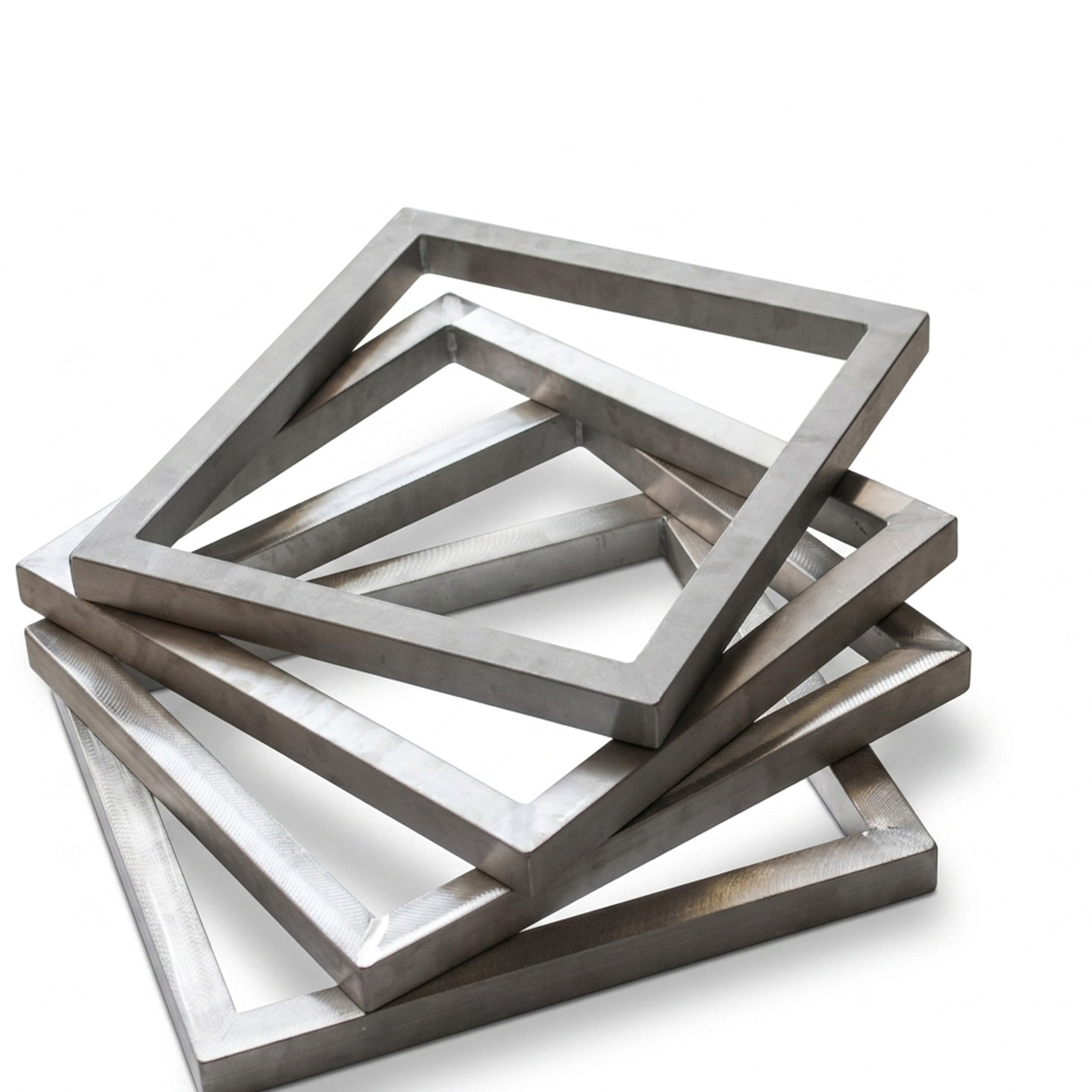
Pre-stretched aluminum frames (110–305 mesh counts) give your exposed positive a flat, stable surface for sharp registration. If you stretch your own screens, monofilament polyester mesh (110–420 count, white or yellow) holds tension over long runs. And once your stencil is washed out, a chemical-resistant polyurethane squeegee blade pushes ink through cleanly, without ghosting.
Frequently Asked Questions
What thickness is best for screen printing film — 4 mil or 5 mil?
For most production shops, 5 mil is the better choice. The extra mil (typically an added coating layer on top of a 4 mil PET base) reduces curling under exposure unit vacuum frames, holds registration better across multi-color separations, and tolerates higher ink loads for dense blacks — fewer reshoots, less wasted film.
Which side of the film do I print on?
Always print on the rough, matte, coated side. The smooth/glossy side is the uncoated PET backing and will cause ink to smear and never fully dry.
Does this film work with my Epson/Canon/HP printer?
Yes. SHL Supply's 5 mil waterproof film is compatible with Epson, Canon, and HP inkjet printers, and works with both pigment and dye-based ink systems, across desktop and wide-format printers.
Do I need special RIP software?
No — a standard printer driver set to "High Quality Glossy Photo Paper" with maximum ink density works well for most shops. RIP software is optional and mainly benefits high-volume shops fine-tuning halftone curves and ink limits.
Why is my black print not opaque enough to block UV light?
This is almost always one of three issues: printing on the wrong (smooth) side, a paper-type setting that isn't set to maximum ink output, or insufficient drying time before exposure. Confirm the coated side, switch to a photo-paper driver setting, and allow a full 10–15 minutes of dry time.
How do I store waterproof inkjet film to keep it from curling or degrading?
Keep rolls and sheets flat, in their original packaging, in a space between 60–80°F and 40–60% relative humidity, away from direct sunlight. Proper storage preserves both the coating's ink absorption and the film's flatness.
Do you offer bulk or wholesale pricing for shops and resellers?
Yes. We offer bulk roll formats (up to 63" wide, 100 ft rolls) for high-volume shops and 100-sheet packs for smaller operations, with wholesale/distributor inquiries welcome — reach out directly for volume pricing.
What's your return and satisfaction policy?
Every order is backed by a money-back guarantee. Defective items receive free returns, and non-defective returns are accepted subject to a 15% restocking fee.
How fast will my order ship?
Orders ship within 48 hours, with free shipping on orders over $799 and local pickup available for shops near our Southern California warehouse.
Order Direct From a US-Based Supplier — Fast Shipping, Real Support
Screen printing shops can't afford to wait two or three weeks on slow overseas shipping for a consumable as essential as film. SHL Supply ships every order within 48 hours from our own warehouse — no customs delays, no minimum-order requirements.
SHL Supply
Ready to stock up? Grab the format that fits your shop and pair it with the rest of your setup.
Shop Film Rolls Shop Sheet Packs Shop Frames Shop Mesh Shop Squeegees

Leave a comment
This site is protected by hCaptcha and the hCaptcha Privacy Policy and Terms of Service apply.