

If you've ever wanted the raised, puffy look of embroidery without the digitizing fees, thread breaks, or 3-week production times, 3D TPU patches are the fastest-growing answer in the custom apparel industry. Using UV TPU transfer film and soft UV TPU ink, decorators and apparel brands can now print embroidery-style logos, badges, and patches in-house — with no minimum order quantity and same-day turnaround.
In this guide, we'll break down exactly what 3D TPU patches are, how they're made step by step, which specs matter for durability, and the questions U.S. shops and wholesale buyers ask most before switching over.
What Are 3D TPU Patches (UV TPU Transfer Film)?
A 3D TPU patch is a raised, textured badge or logo created by UV printing white ink, color ink, and a gloss/texture varnish onto UV printable TPU transfer film, then heat pressing the finished design onto a garment. The thermoplastic polyurethane (TPU) film gives the patch its flexibility and dimensional "puff," while the layered UV ink builds the embroidery-style texture on top.
Unlike rigid UV DTF transfers made for hard surfaces (glass, metal, phone cases), TPU patches are engineered specifically for fabric — they flex and stretch with the garment instead of cracking.
3D TPU Patches vs. Standard UV DTF Transfers
Standard UV DTF ink is formulated for rigid, non-stretch surfaces and will crack, peel, or split if applied to fabric that moves and stretches. 3D TPU patches use a dedicated soft, flexible TPU UV DTF ink paired with stretchable TPU film, so the finished patch can bend and flex with nylon, polyester, and other performance fabrics without failing.
3D TPU Patches vs. Traditional Embroidery
Traditional embroidery requires digitizing a design, running it on a stitching machine, and paying setup fees that only make sense at higher order volumes. 3D TPU patches replicate the raised, dimensional look of embroidery using a UV printer, a plotter cutter, and a heat press — with no digitizing, no thread, no embroidery machine, and no minimum order quantity. That makes it a practical option for one-off samples, small custom runs, and fast reorders alike.
Why U.S. Apparel Brands and Decorators Are Switching to 3D TPU Patches
Screen printers, embroidery shops, and promotional product companies across the U.S. are adding 3D TPU patches to their offerings for a few clear reasons:
- No minimum order quantity — profitable on a single patch or a 5,000-piece wholesale run.
- Faster production — a design goes from print to pressed patch in minutes, not days.
- Wash-durable and flexible — properly cured 3D TPU patches withstand 50+ wash cycles and stretch roughly 5%–20% with the fabric.
- Premium, tactile finish — the raised gloss layer gives customers the embroidery look and feel they expect from jerseys, caps, and branded apparel.
- Works across product lines — the same film and ink can also be applied to bags, hats, and other soft goods.
How to Make 3D TPU Patches: Step-by-Step Guide
Here's the exact production workflow for turning a digital design into a finished, heat-applied 3D TPU patch.
What You'll Need
- UV Printable TPU Transfer Film
- Soft TPU UV DTF Ink (white, CMYK, and gloss/texture varnish)
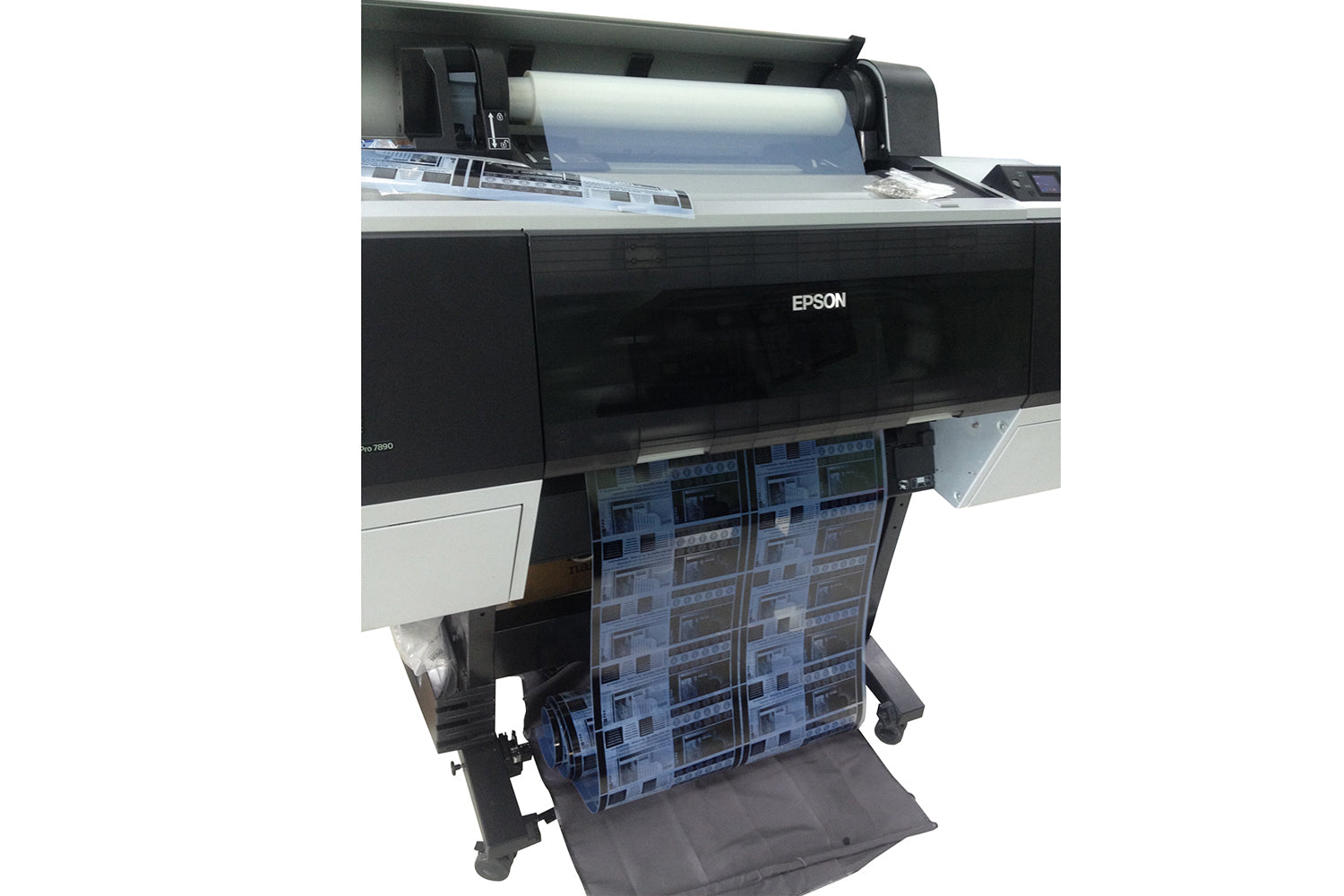
- A UV printer, such as the 24" UV DTF Printer T600HD (Epson printhead)
- A dual-head conveyor cutting plotter
- A heat press, such as the automatic sliding dual-platen heat press (16"x24", pneumatic)
- A Teflon (PTFE) cover sheet
Step 1: Load and Secure the TPU Film
Load the UV printable TPU transfer film into your UV printer with the printable TPU-coated side facing up, and make sure it feeds flat and evenly through the printer.
Step 2: Print the Layers
Print white ink first to build a solid, opaque base and color saturation. Print the CMYK color layer on top for the graphic itself. Finish with a gloss/texture varnish layer — this final pass is what creates the raised, 3D "puff" texture that mimics embroidery.
Step 3: Contour Cut
Run the printed TPU film roll through a plotter cutter to cut around the exact edges/contours of each design.
Step 4: Weed
Peel away the excess waste film surrounding each individual patch or logo, leaving only the finished design and its carrier backing.
Step 5: Heat Press the Patch
Position the patch on the garment, cover it with a Teflon sheet, and press at 140–170°C (302–338°F) for 10–20 seconds. Peel warm or cold depending on the specific film's instructions.
Key Specifications and Fabric Compatibility
| Spec | Detail |
|---|---|
| Ink requirement | Soft/flexible UV TPU ink only — standard hard UV DTF ink will crack on fabric |
| Wash durability | 50+ home washes when properly cured and pressed |
| Stretch ratio | Approximately 5%–20% |
| Heat press settings | 140–170°C (302–338°F), 10–20 seconds |
| Best substrates | Synthetic fibers such as nylon and polyester — ideal for sportswear, jerseys, caps, and bags |
Common Mistakes to Avoid
- Using standard hard UV DTF ink on fabric — it will crack and peel; always use ink formulated as soft/flexible TPU ink.
- Skipping the varnish layer — this is what creates the raised 3D texture; without it, the patch looks flat.
- Pressing at the wrong temperature — too hot or too long can scorch the film; too cool or too short and adhesion will fail.
- Not testing peel timing — always confirm whether your specific film is a hot-peel or cold-peel film before running a full batch.
Fast, Local Shipping and After-Sales Support — Ships from Our California Warehouse
All UV TPU transfer film, TPU UV DTF ink, UV printers, plotter cutters, and heat presses featured in this guide ship directly from our own U.S. warehouse:
SHL Supply
12155 Mora Dr, Santa Fe Springs, CA 90670
Phone: 562-203-5165 | Email: info@shl-supply.com
Hours: Monday–Friday, 9:00 AM–5:00 PM (PT)
Because we stock inventory locally in Santa Fe Springs, CA, most orders ship within 24–48 hours, with standard domestic transit of just 3–5 business days to the contiguous U.S. Local businesses in the Los Angeles area can also arrange local pickup directly at our warehouse. Every order is backed by our money-back guarantee, and our support team is on hand by phone or email if you ever need help dialing in ink compatibility, press temperatures, or troubleshooting a specific setup — see our contact information page or shipping policy for full details.
Frequently Asked Questions
What is the difference between a 3D TPU patch and embroidery?
Both produce a raised, dimensional logo, but embroidery uses stitched thread while a 3D TPU patch is built from layered UV ink printed onto TPU film. TPU patches skip digitizing and setup fees, work at any order quantity, and can be produced in minutes rather than days.
Will 3D TPU patches crack or peel after washing?
Not if made correctly. Patches printed with soft UV TPU ink on genuine TPU film, cured properly, and pressed at 140–170°C typically withstand 50+ wash cycles. Cracking almost always traces back to using standard (hard) UV DTF ink instead of a flexible TPU-specific ink.
What fabrics work best with 3D TPU patches?
Synthetic fibers like polyester and nylon give the best results, which is why this method is so popular for sportswear, team jerseys, performance caps, and bags. It also works well on blended cotton fabrics for standard apparel.
Do I need special ink, or can I use my existing UV DTF ink?
You need a soft, flexible UV TPU ink made specifically for fabric applications. Standard hard UV DTF ink is formulated for rigid substrates and will crack once the fabric flexes or stretches.
Is there a minimum order quantity (MOQ) for TPU film and ink?
No. One of the biggest advantages of the UV TPU film process over embroidery is that there's no MOQ — you can produce a single sample patch or run thousands of pieces using the same materials and workflow.
Do you offer wholesale or bulk pricing for businesses?
Yes. We work with print shops, embroidery businesses, promotional product companies, and apparel brands across the U.S. on wholesale pricing for TPU film, TPU ink, and production equipment. Visit our dealer program page or contact our team directly to discuss B2B pricing.
Where do you ship from, and how fast will I get my order?
All orders ship from our warehouse at 12155 Mora Dr, Santa Fe Springs, CA 90670. Most orders leave our facility within 24–48 hours and arrive within 3–5 business days to the contiguous United States. Local pickup is also available for businesses in the Los Angeles area.
What if a roll of film or ink doesn't perform as expected?
We stand behind our materials with a money-back guarantee. If you run into an ink compatibility or performance issue, our U.S.-based support team (562-203-5165 or info@shl-supply.com) can help troubleshoot your exact printer, film, and press settings before you need to return anything.
Can I use SHL Supply's TPU film and ink with any UV printer?
Our TPU film and TPU UV DTF ink are designed to work with standard UV DTF printer setups, including Epson-printhead machines like our 24" UV DTF Printer T600HD. If you're running a different printer or ink system, contact us with your equipment details and we'll help verify compatibility.
Can 3D TPU patches be private-labeled for my brand?
Yes. Because the process requires no embroidery setup and no MOQ, it's well suited to private-label and white-label apparel programs where brands need small, fast, customizable production runs.
Get Started with 3D TPU Patch Production
Whether you're a solo decorator adding a new product line or a wholesale apparel brand scaling up production, SHL Supply carries everything you need to produce professional 3D TPU patches in-house — UV printable TPU transfer film, soft TPU UV DTF ink, UV printers, plotter cutters, and heat press equipment, all shipped fast from our Santa Fe Springs, CA warehouse.
- Shop UV Printable TPU Transfer Film
- Shop Soft TPU UV DTF Ink
- Shop the 24" UV DTF Printer T600HD
- Shop Dual-Head Conveyor Cutting Plotters
- Shop Automatic Heat Press Machines
Have questions about ink compatibility or dialing in press temperatures for your specific setup? Contact our team — we're a phone call or email away, Monday through Friday, 9 AM–5 PM PT.

Leave a comment
This site is protected by hCaptcha and the hCaptcha Privacy Policy and Terms of Service apply.