
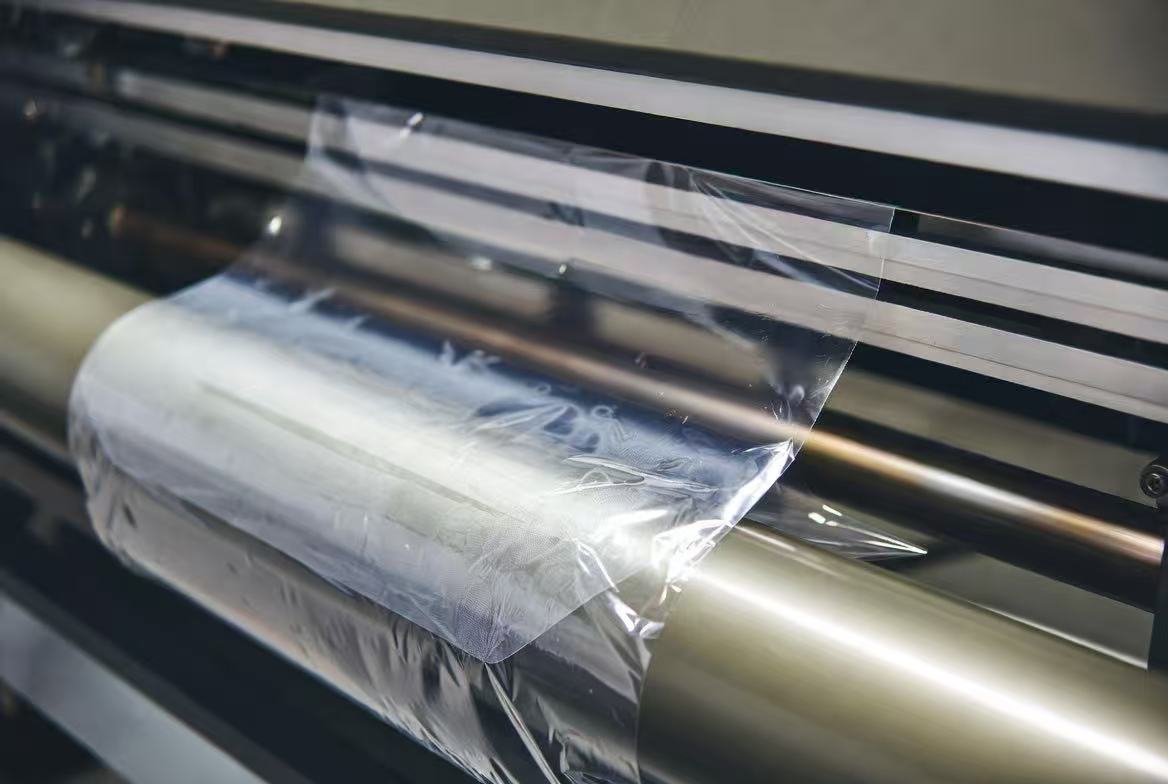
A roll that feeds crooked, a jam halfway through a run, or tiny specks trapped under an otherwise clean laminate — these are some of the most common complaints from shops running their own UV DTF printer and laminator setup, and they're also some of the most commonly misdiagnosed. UV DTF film jamming in the laminator gets blamed on the machine far more often than it should be, when the real cause is usually sitting in the roll itself: a warped core, film that's picked up moisture, or tension settings that were never adjusted for the current roll.
This guide gives you a fast way to tell the laminator and the film apart, a diagnosis table for the three most common feed problems, a correct roll-loading routine, and a look at the static buildup that causes specks under your laminate even when the feed itself looks fine.
Is It the Laminator or the Film? A 2-Minute Diagnostic
Before adjusting tension dials or calling for service, run this quick check:
- Try a different, known-good roll of film in the same laminator. If the new roll feeds straight and jam-free, the problem was the film or roll, not the machine.
- Try the suspect roll in a different laminator, if you have access to one. If it still feeds crooked or jams, the roll itself is the issue.
- Look at where the jam happens. A jam that occurs at the exact same point every time (e.g., right at the nip rollers) points toward a mechanical cause — worn rollers, debris, or a tension setting mismatch. A jam or crooked feed that starts gradually and worsens as the roll unwinds points toward the roll itself — often a core that's slightly warped or off-center.
- Check the roll's edges by hand. Unroll a foot or two and look for UV DTF film feeding crooked — is one edge slack while the other is taut? That's a strong sign the roll was wound unevenly or the core has shifted, not a laminator fault.
If a known-good roll runs clean through the same machine with the same settings, stop troubleshooting the laminator — the fix is in how the roll was stored, loaded, or manufactured.
Jam & Feed Problem Table
Use this table to match your symptom to the most likely cause before making adjustments.
| Symptom | Most Likely Root Cause | Recommended Fix |
|---|---|---|
| Film tracks crooked, drifting to one side as the roll unwinds | Warped or off-center roll core | Swap to a fresh roll and inspect the suspect core for bends, flat spots, or an uneven wind; don't attempt to force-correct with tension alone |
| Repeated jamming at the same point in the feed path | Incorrect tension setting for the current roll's width or thickness | Re-set tension to match your laminator manufacturer's spec for the specific film width and gauge you're running — don't reuse settings from a different roll size |
| Film feeds unevenly or won't stay flat entering the nip rollers | Film has absorbed moisture, causing curl or a soft, uneven edge | Isolate the roll in a dry, temperature-stable storage area for 24–48 hours before reattempting; discard visibly warped sections |
| Roll wobbles on the shaft or won't sit centered | Core inner diameter doesn't match the laminator's shaft/chuck size | Confirm the roll's core spec matches your laminator before ordering; use manufacturer-recommended core adapters if sizes differ |
If more than one symptom shows up at once — crooked feed and jamming, for example — start with the roll itself. A warped or damp roll is the more common root cause behind both symptoms simultaneously, while a laminator-side fault typically produces one consistent symptom, not several at once.
How to Load a New Roll Correctly Every Time
A consistent loading routine prevents the majority of feed and jamming issues before they start.
- Inspect the roll before mounting it. Check the core for visible warping, dents, or flat spots, and check the outer wind for loose or uneven edges.
- Confirm the core fits the shaft snugly. A loose core will shift during operation and cause crooked feeding; it should sit centered with no side-to-side play.
- Let the film acclimate if it's coming from a different temperature or humidity environment. Bringing cold or humid film straight from storage into a warm shop can cause temporary curl — give it 20–30 minutes to stabilize before loading.
- Set tension to match the film's width and gauge. Refer to your laminator's manual for the correct starting tension, then fine-tune based on how the first few feet feed.
- Feed the leading edge in square, not at an angle. Even a slightly angled starting feed can set a crooked track that continues for the rest of the roll.
- Run a short test feed before committing to a full production run. Watch the first several feet through the nip rollers to confirm the film is tracking straight and evenly.
- Re-check tension and tracking after any roll change. Never assume the previous roll's settings will work for a new one, even from the same supplier — treat each new roll as a fresh setup check.
Static Dust: The Hidden Cause of Specks Under Your Laminate
If your feed is running clean and straight but you're still seeing tiny specks, dust, or small bubble-like defects trapped under the laminate, the cause is very likely static dust in UV DTF lamination rather than a feed or tension problem at all.
UV DTF film, like most PET-based laminate films, builds up a static charge as it unwinds and passes through rollers — this is a normal byproduct of friction between the film and the machine. That static charge acts like a magnet for airborne dust, lint, and other particles floating in the shop environment, pulling them onto the film's surface in the seconds before it's laminated. Once trapped under the laminate, even a speck of dust shows up as a visible defect that no amount of roller or tension adjustment will fix — because the problem happened before the film ever reached the nip rollers.
A few practical ways to reduce static-related defects:
- Keep shop humidity in a moderate range. Very dry air (common in winter or in heavily air-conditioned shops) dramatically increases static buildup; a humidity level in the 40–60% range reduces it significantly.
- Use an anti-static bar or ionizing fan near the laminator's feed path. These neutralize the charge on the film surface before it reaches the nip rollers, without requiring any change to your process.
- Ground the laminator itself, per the manufacturer's instructions, to give built-up static somewhere to discharge safely.
- Keep the surrounding work area clean and minimize airflow directly across the unwinding roll, since moving air stirs up more dust for the static charge to attract.
- Wipe down rollers and the surrounding area regularly — dust that accumulates on the machine itself is a constant source of new particles, even after you've addressed the film's static charge.
UV DTF AB Film — Built for Straight Feeding, Not Static
Feed problems and static specks both come back to the same root idea: film quality and roll construction matter as much as your laminator settings. A roll wound on a stable, properly sized core feeds straight from the first foot to the last, and a film manufactured with feed and handling in mind reduces the static buildup that causes specks under your laminate.
SHL UV DTF AB Film Roll — 328ft, Premium A+B Transfer Film Set
- Available in 24" (60cm) and 12" (30cm) widths, 328ft rolls, wound on a consistent core for smooth, centered unwind
- PET-based film engineered for stable tracking through standard laminators — no need for custom tension workarounds roll after roll
- Cold transfer, no-heat-press process — waterproof and scratch-resistant with a 2–5 year indoor/outdoor service life
- Compatible with all UV DTF printers and UV-curable inks
- California Proposition 65, RoHS 2.0, and CMA certified
Pairing a reliable AB film with the loading routine and static-control steps above is what actually eliminates crooked feeds and laminate specks for good — inconsistent film undermines even a well-maintained laminator, and a well-set-up laminator can't compensate for a warped or staticky roll.
Order Locally, Get Support Locally
Because we stock and ship film from our own facility, you're not waiting weeks on rolls that crossed an ocean and sat in a warehouse — and if a roll ever arrives with a warped core or feed issue, you're talking directly to the people who packed it, not a reseller.
SHL LA Supply — 12155 Mora Dr, Santa Fe Springs, CA 90670
Phone: 562-203-5165 | Email: info@shl-supply.com
Hours: Monday–Friday, 9:00am–5:00pm (PT)
Shipping: Orders ship within 48 hours; free shipping on orders over $799; local pickup available at our Santa Fe Springs location
After-Sales: Backed by our money-back guarantee — report a warped core, damaged roll, or feed defect within 5 days of receipt and we'll issue a free replacement or return, no 15–35% restocking fee applied to defective items
FAQ
Can film that's absorbed moisture still be used?
Sometimes, but proceed carefully. Let the roll sit in a dry, temperature-stable area for 24–48 hours and re-check for curl, softness, or uneven edges before use. If the moisture has caused visible warping or the outer layers feel soft or wavy, discard those sections rather than risking a jam or feed defect mid-production run — the cost of wasted film is almost always lower than the cost of a ruined client job.
Can I mix AB film from different brands?
It's not recommended. Film A (the printable base) and Film B (the adhesive carrier) are formulated as a matched pair by each manufacturer — bond strength, clarity, and cure behavior are all calibrated around that specific pairing. Mixing Film A from one brand with Film B from another can lead to weak adhesion, cloudiness, or premature lifting, even if both products look similar on paper. Sourcing both layers from the same supplier keeps that pairing consistent every time you reorder.
How often should I check my laminator's rollers?
Inspect rollers weekly for dust, adhesive residue, or wear, and clean them any time you notice a change in feed quality. Residue buildup on rollers is a common hidden cause of feed problems that looks like a film issue but is actually a maintenance gap — a quick visual check and wipe-down takes a few minutes and prevents most roller-related jams before they start.
Dealing with ink issues alongside your feed and laminate setup? Read our companion guide, UV DTF Ink Clogging Your Printhead? Storage, Shaking & Viscosity Fixes, for the full ink shake routine and cleaning steps that keep your printer running clean before problems ever reach the laminator.

Leave a comment
This site is protected by hCaptcha and the hCaptcha Privacy Policy and Terms of Service apply.